
Connecting GitHub Copilot in SSMS using GitHub Enterprise or Business
If your organization uses GitHub Enterprise Cloud or GitHub Enterprise Server, there is one important step before signing in: SSMS must be configured to allow Enterprise GitHub accounts. By default, many users only see the standard GitHub sign-in option, which is typically used for personal GitHub accounts.
Here’s the complete setup process.
Step 1: Enable GitHub Enterprise Accounts in SSMS
Open:
Tools → Options → Environment → Accounts
Enable the following option:
Include GitHub Enterprise Cloud and GitHub Enterprise Server Accounts
Click OK to save the setting.
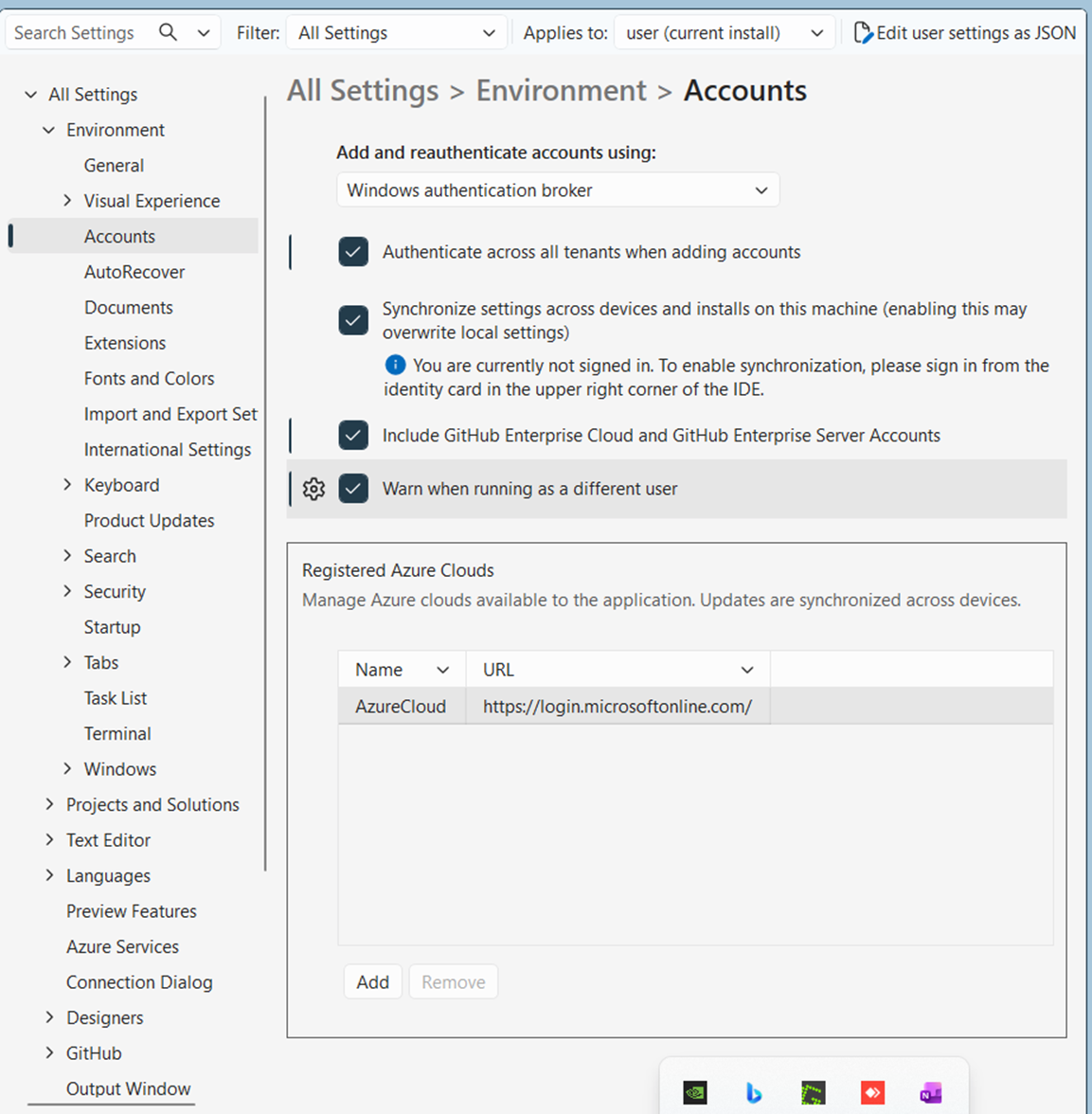
This step is required before you can connect SSMS to a GitHub Enterprise tenant.
Step 2: Start the GitHub Sign-In Process
Open the Copilot sign-in dialog and select:

Continue with GitHub
You should now see additional account options.
Select:
GitHub Enterprise
Step 3: Enter Your GitHub Enterprise URL
When prompted, enter the URL of your organization’s GitHub Enterprise instance. This typically ends with .ghe.com

Click Continue.
Step 4: Sign In Through Your Browser
Select:
Sign in with your browser
Your default browser will open and redirect you to your GitHub Enterprise login page.
- If you are not already signed in, enter your credentials.
- If you already have an active session, simply click Continue.

Step 5: Authorize SSMS
GitHub Enterprise will display an authorization page.
Click:
Authorize Visual Studio
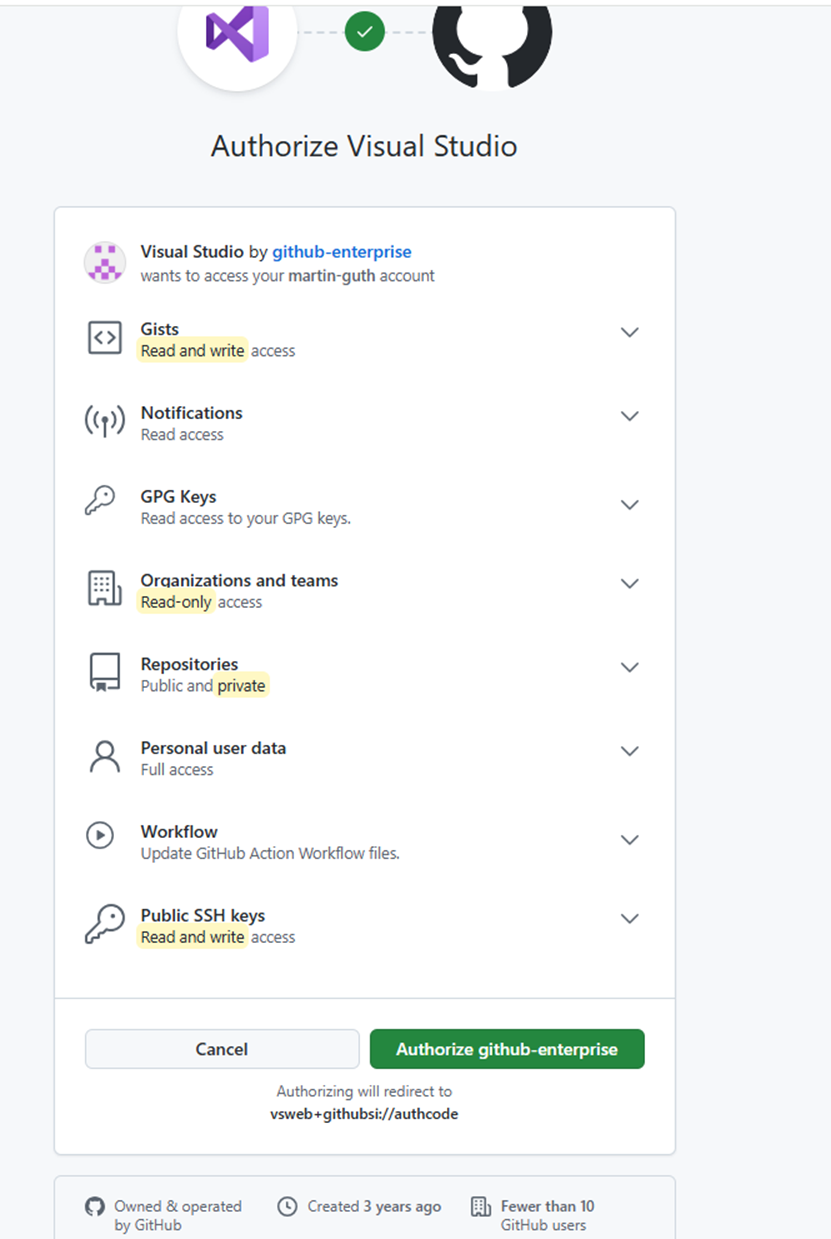
Although the dialog mentions Visual Studio, this authorization is also used by SSMS for GitHub Copilot integration.
Step 6: Return to SSMS
After authorization, the browser will ask whether it may open SSMS.
Choose:
Open SSMS or Allow

The authentication token is transferred back to SSMS and your sign-in process is completed.
Step 7: Start Using Copilot
Once the connection is established, open the Copilot chat window in SSMS and start typing.

Examples:
- Explain this SQL query
- Generate an index recommendation
- Create a stored procedure for this table
- Optimize this query for performance
That’s it—GitHub Copilot is now connected to your GitHub Enterprise account and ready to assist directly within SSMS.
Tip: If you don’t see the GitHub Enterprise option during sign-in, double-check that “Include GitHub Enterprise Cloud and GitHub Enterprise Server Accounts” is enabled in the SSMS account settings. This is the most commonly missed step. At the time of writing I couldn’t find any official documentation apart from forums.
Disclaimer
This article was created based on my personal notes with support from Microsoft Copilot. While Copilot assisted in structuring and refining the content, all technical details have been carefully reviewed and developed by me.